코딩 기록/react
react / flex 속성 이용하여 화면 비율 조정하기 (typescript)
NomadHaven
2022. 3. 7. 18:27
프로젝트 생성문
npx react-native init sample18 --template react-native-template-typescript
App.tsx
import React from "react";
import { StyleSheet, Text, View } from "react-native";


//flex : 크기 비율로 설정하는 것
export default function App(){

  return (
    <View style={style.container}>
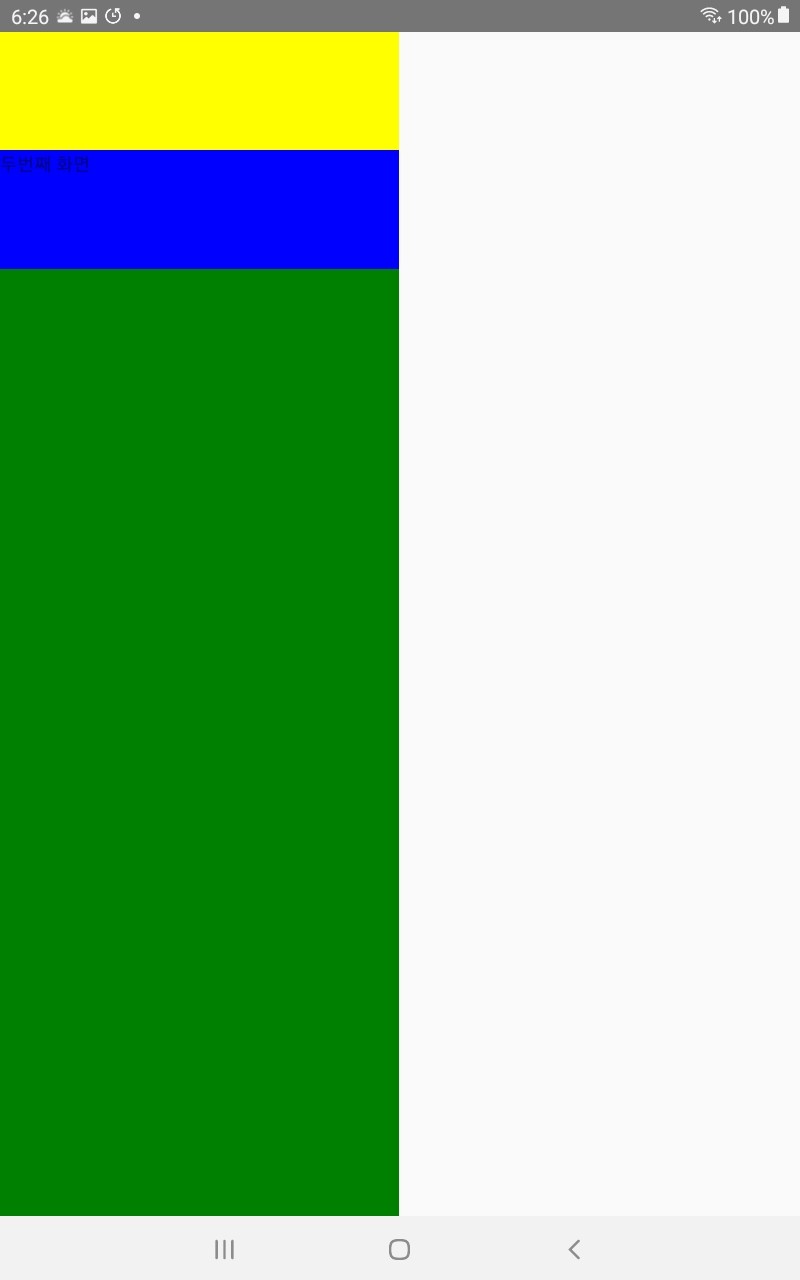
      <View style={style.caseOne}/>
      <View style={style.caseTwo}>
        <Text>두번째 화면</Text>
        </View>
      <View style={style.caseThree}/>
      </View>
  )

}

const style = StyleSheet.create({
  container:{
    flex:1,
    width:300
  },
  caseOne:{
    flex:1,
    backgroundColor:'yellow'
  },
  caseTwo:{
    flex:1,
    backgroundColor:'blue'
  },
  caseThree:{
    flex:8,
    backgroundColor:'green',
   height:200
  }
})
실행화면